
Last updated on
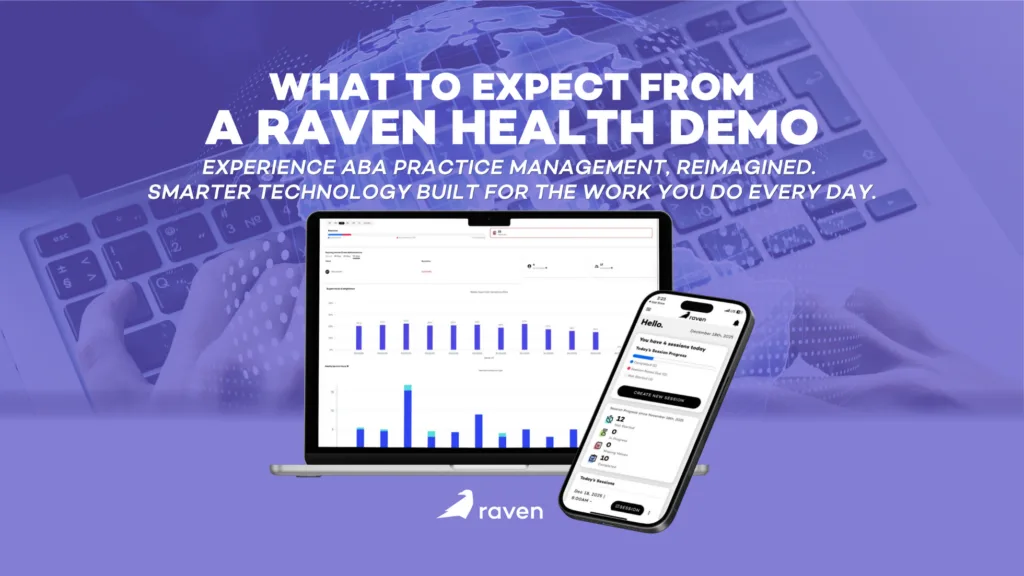
When you are in the early stages of building an ABA practice, every tool you adopt becomes part of your foundation. Choosing the wrong practice management system does not just create headaches later, it slows your ability to take on clients, bill cleanly, and retain staff. That is why the demo stage matters more for a new or growing clinic than for an established one. You are not evaluating whether to replace something. You are deciding what to build on.
If you run a growing ABA clinic, you already know the software struggle. Clinicians burn out not from the therapy itself, but from the clunky, outdated technology they are forced to use to document it. When your Registered Behavior Technicians (RBTs) spend more time fighting a loading screen than engaging with their learners, your entire operational flow breaks down. Raven Health has emerged as a strong alternative in the ABA practice management space, specifically targeting the everyday frustrations of data collection and clinical documentation. But before committing your entire staff to a new platform, you need to first see it in action.
Here is exactly what you can expect during a Raven Health demo, who should be on the call, and how to best use that time to figure out if it is the right fit for where your practice is headed.
Who is The Demo For?
A common mistake clinics make when evaluating new software is only having the owner or a single administrator watch the demo. Raven Health is an end-to-end platform, meaning it touches every level of your organization. If your organization is small, it is worth thinking about this demo through the lens of each role you will eventually need to fill.
And if you are a solo owner who is also acting as your own BCBA, administrator, and billing contact, use Raven’s demo to think in layers: watch it through the lenses of a clinician, as an operations person, and as a person responsible for getting your team paid. Ask questions from all three angles.
1. Clinic Owners and Directors
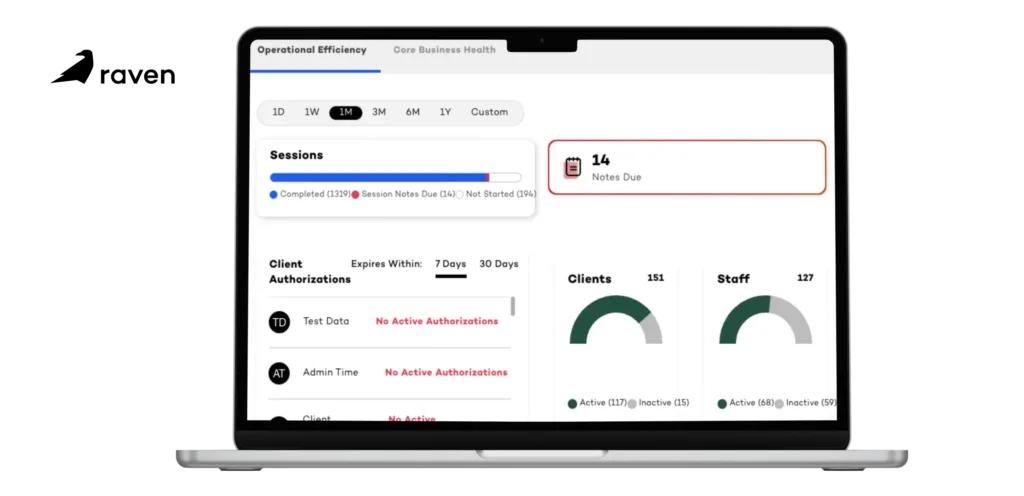
For leadership, Raven’s demo focuses on the big picture. You will see how the platform handles compliance, tracks authorizations, and protects your revenue cycle. The focus is on ROI and minimizing the unbillable hours your staff spends on administrative tasks. For a new clinic, pay particular attention to how the platform scales. What looks clean with five clients needs to still work when you expand and grow to fifty.
2. BCBAs and Clinical Supervisors
Clinicians care about the data, not the billing backend. During the demo, BCBAs will see how custom programming works, how standard and semi-logarithmic graphs are generated in real time, and how easily they can modify a learner’s target behaviors on the fly. If you are a new clinic owner who is also your own BCBA, this section of the demo will likely be where you spend the most time.
3. Administrators and RBTs
The unsung heroes of the clinic need to see the interface. For admins, the demo will highlight a typical day in the life, utilizing scheduling, reporting, and more. For the RBT perspective, the focus is pure usability: How many clicks does it take to record a prompt level?
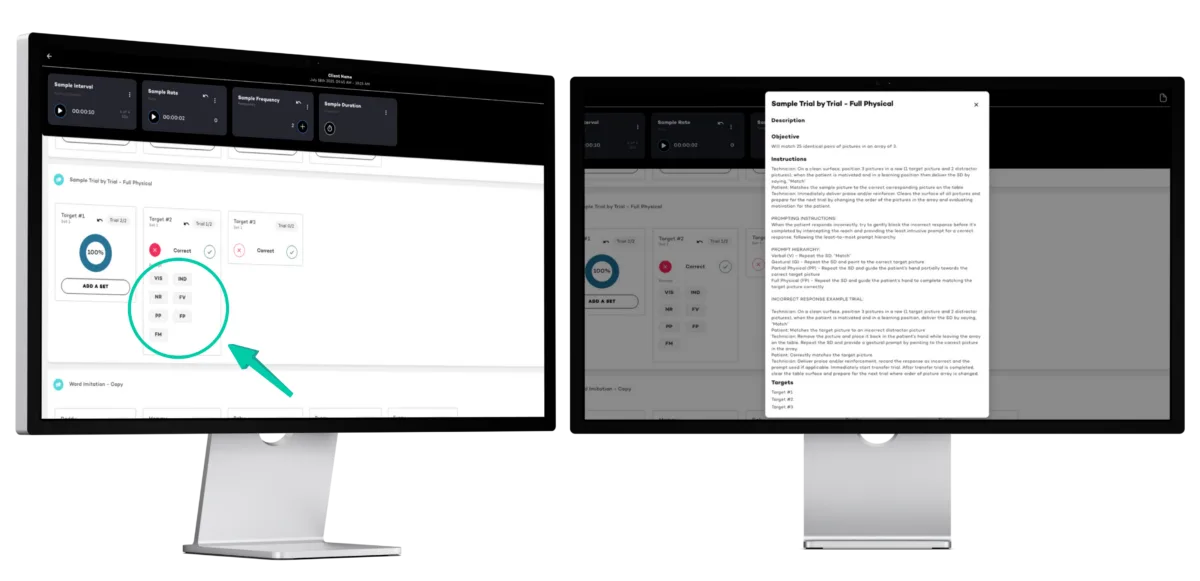
For a brand new clinic, this is also a hiring and retention argument. Staff who are handed clunky software on day one form a negative first impression of your practice that is hard to reverse. A clean, intuitive RBT interface is something you can legitimately sell to potential new hires during interviews.
What to Look for In A Demo?
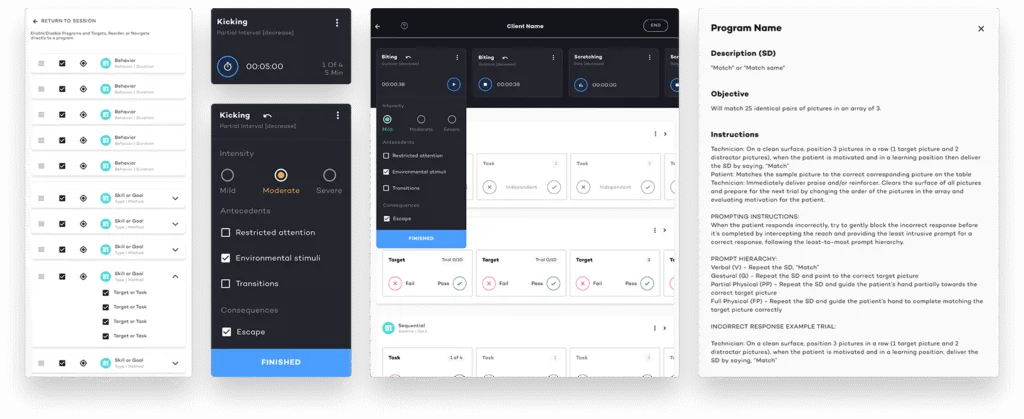
A strong demo won’t just list features; it will walk you through a day in the life of a therapy session. When looking at Raven Health, you will want to pay close attention to how the system handles the following critical areas:
1. The “Offline-First” Data Collection
This is arguably Raven Health’s biggest selling point, and it will be front and center in the demo. Most ABA software requires a constant internet connection. If the clinic Wi-Fi drops, or if an RBT is doing an in-home session in a dead zone, data is lost. Raven Health will discuss its offline capabilities; how an RBT can seamlessly collect frequency, duration, and interval data without an internet connection, which automatically syncs to the cloud the moment they are back online.
For a new clinic taking on in-home clients, this feature is not just nice-to-have, it is essential.
2. Intuitive Clinical Documentation
Session notes are a massive compliance hurdle. Raven’s demo will walk you through our integrated documentation system. You should ask to see how the software pulls raw session data directly into the final clinical note. This feature alone drastically reduces the time RBTs spend typing up summaries at the end of a session, ensuring that notes are accurate, compliant with insurance requirements, and completed before the staff member clocks out.
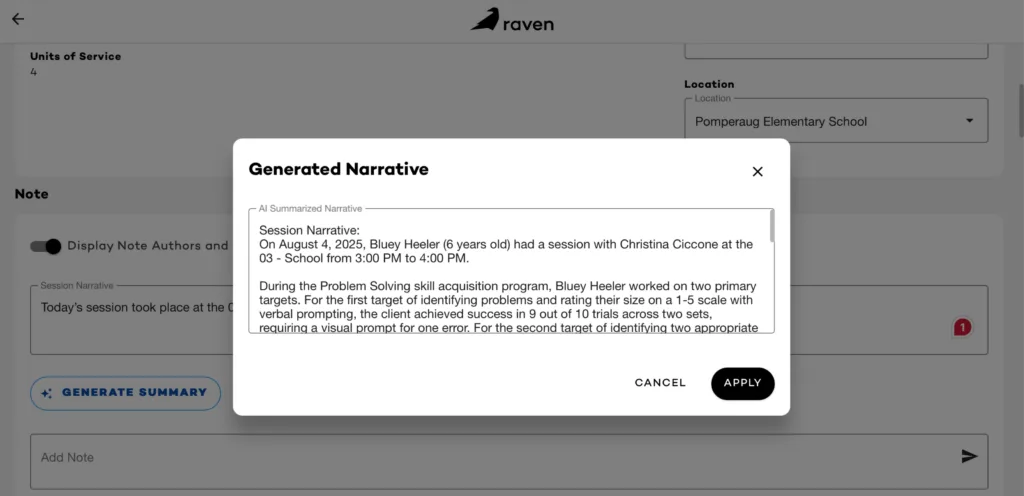
New clinics are disproportionately at risk for documentation audits because they have not yet established a track record with payers. Clean, auto-populated notes from day one are a form of protection. Ask the Raven team to show you what an audit-ready note looks like and how quickly it is generated.
3. Operational and Practice Management Support
Moving beyond the clinical side, the demo will pivot to operations. You will see how the scheduling matrix works; how to assign therapists to clients, manage cancellations, and track authorized hours so you never accidentally over-bill or leave money on the table. Pay attention to how the platform handles the transition from a completed schedule block directly into the billing and claims generation process.
For a growing clinic, cash flow is everything. The gap between delivering a session and getting paid for it can make or break your first year. Watch how quickly a completed session moves through the billing workflow in the demo, and ask what the average time to submission looks like for a new clinic getting started on the platform.
Assessing the Fit and Planning Your Next Steps
Watching a smooth presentation is one thing; visualizing it in your specific clinic is another. The primary goal of the demo is to answer one question: Will this actually make our lives easier?
As the demo wraps up, use the Q&A portion to ask hyper-specific questions about your current bottlenecks. If your biggest issue is parent training documentation, ask them to build a parent training goal right there on the screen. If you are worried about insurance credentialing timelines, ask how the platform supports that process while you are still getting paneled.
If you are pre-launch or in your first few months of operation, this Q&A is also a chance to understand what support looks like during onboarding. Ask directly: what does the first 90 days on the platform look like for a clinic that is just getting started? How much hand-holding is available, and what does it cost?
If you decide the platform is a potential fit, the next steps typically discussed include:
- Data Migration: Ask exactly how your historical data, client demographics, and current behavior plans will be moved from your old system into Raven Health. If you are a new clinic with no legacy data, ask instead how initial client setup is handled and how long it typically takes to get a first client active on the platform.
- Onboarding and Training: A new system is only as good as your staff’s ability to use it. Clarify what the training process looks like for your RBTs. For a new clinic still building its team, ask whether training guides can be used as part of your own staff onboarding process.
- The Sandbox Phase: Many clinics request a limited sandbox account post-demo. This allows your lead BCBA to play around with the interface for a few days to ensure the clinical programming logic makes sense for your specific client base. For a new clinic, this is especially valuable because it lets you stress-test the system before you have real client data depend on it.
The Right Time to Evaluate Is Before You Need It
One of the most common mistakes new clinic owners make is waiting until they are overwhelmed before evaluating their software. By the time you are managing a full caseload, juggling credentialing, and onboarding new RBTs, you do not have the bandwidth to run a thorough demo process. You will end up defaulting to whatever is fastest rather than whatever is best.
Schedule your Raven Health demo while you still have the mental space to ask good questions, push back on the things that do not make sense, and think clearly about whether the platform matches how you intend to run your practice. The investment of one hour now can save you months of painful migration work later.
The clinics that get this right from the start are not the ones with the most resources. They are the ones that made deliberate decisions early, when it was still easy to change course.
Conclusion
Choosing a new practice management system is a heavy lift, but a well-executed demo strips away the marketing jargon and shows you exactly how the tool functions in the trenches. By knowing what to look for, you can make a decision that protects your clinicians’ time and your clinic’s bottom line.