
by Raven Health | Oct 28, 2025 | Blogs

Continuous measurement is a data‑collection method in Applied Behavior Analysis where every occurrence of a target behavior is recorded during a set period. In simple terms, this means an ABA therapist (such as a BCBA or RBT) notes each time the behavior happens. For example, counting every time a child raises their hand or timing the length of a tantrum.
In this article, you will explore the difference between continuous measurement and discontinuous methods, the main techniques used in continuous measurement, and its significance for accurate data collection and progress tracking.
What is Continuous Measurement in ABA?
Applied Behavior Analysis relies on careful data collection to track and change behavior. Continuous measurement means recording every occurrence of a target behavior during an observation period. For example, with continuous recording, a therapist would note all of a student’s temper tantrums during a session. Thus, continuous recording gives a full, detailed account of the behavior.
This thorough tracking helps therapists see patterns and evaluate progress: it provides a detailed and comprehensive view of what’s happening and ensures that no instances are overlooked. In other words, continuous data gives ABA teams the accurate, reliable information they need to make informed treatment decisions.
Continuous vs. Discontinuous Measurement
The choice between continuous and discontinuous methods depends on the situation and behavior. Continuous methods produce the most accurate data because nothing is missed. However, they require more time and attention.
Discontinuous measurement (like partial or whole interval recording) is less demanding but only gives approximate data. In practice, ABA professionals select the method that best fits the behavior and resources.
For example, if you need a complete record of every occurrence (such as during an initial assessment or when behaviors are quick and frequent), continuous measurement is preferred.
Continuous Measurement Techniques
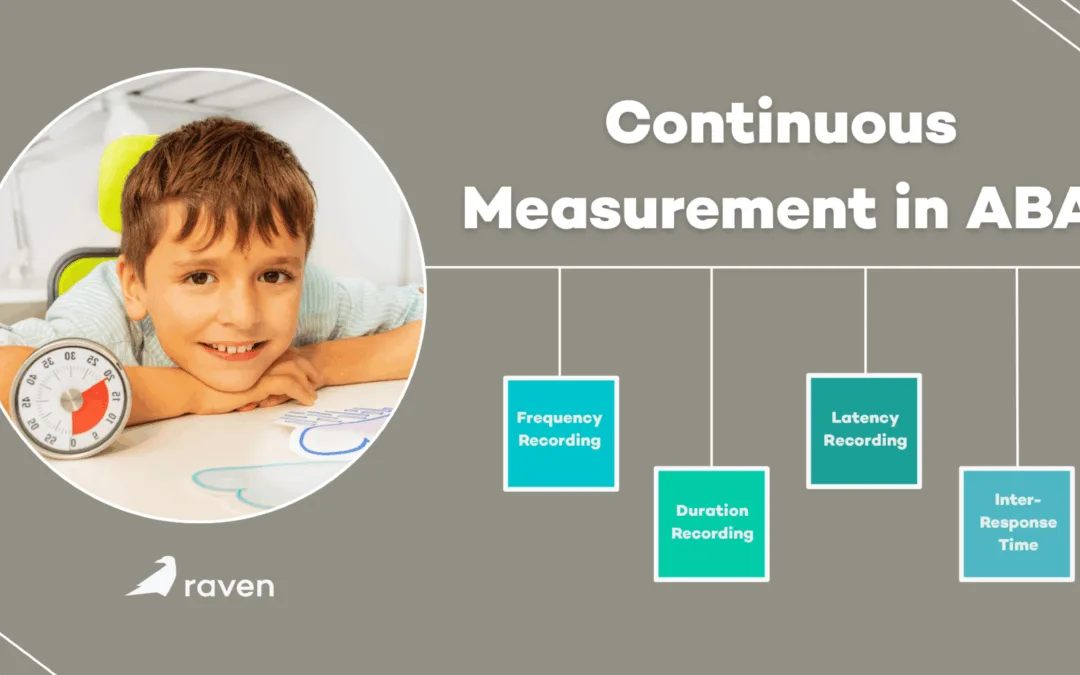
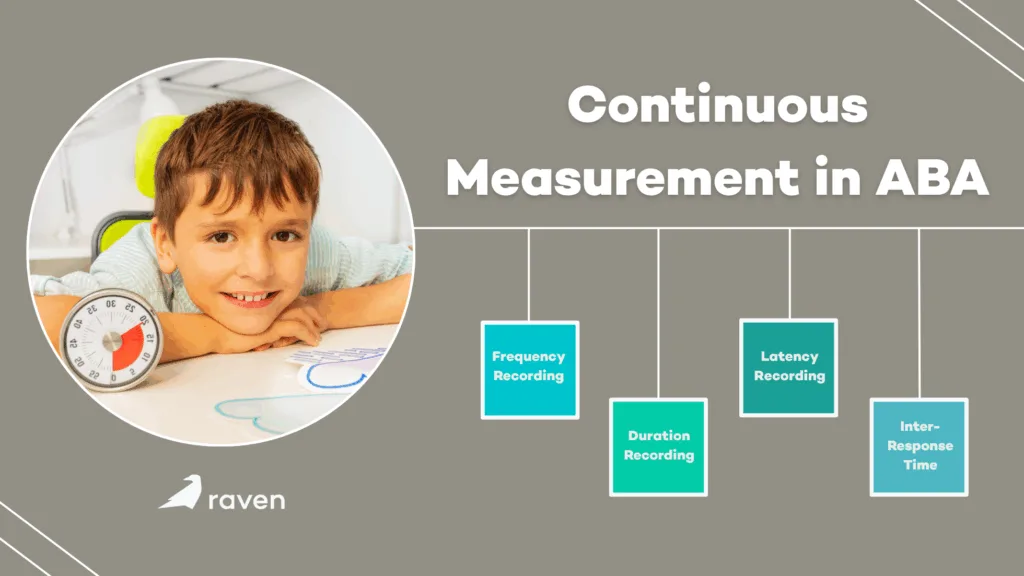
Several specific techniques fall under continuous measurement. Each tracks behavior in a different way:
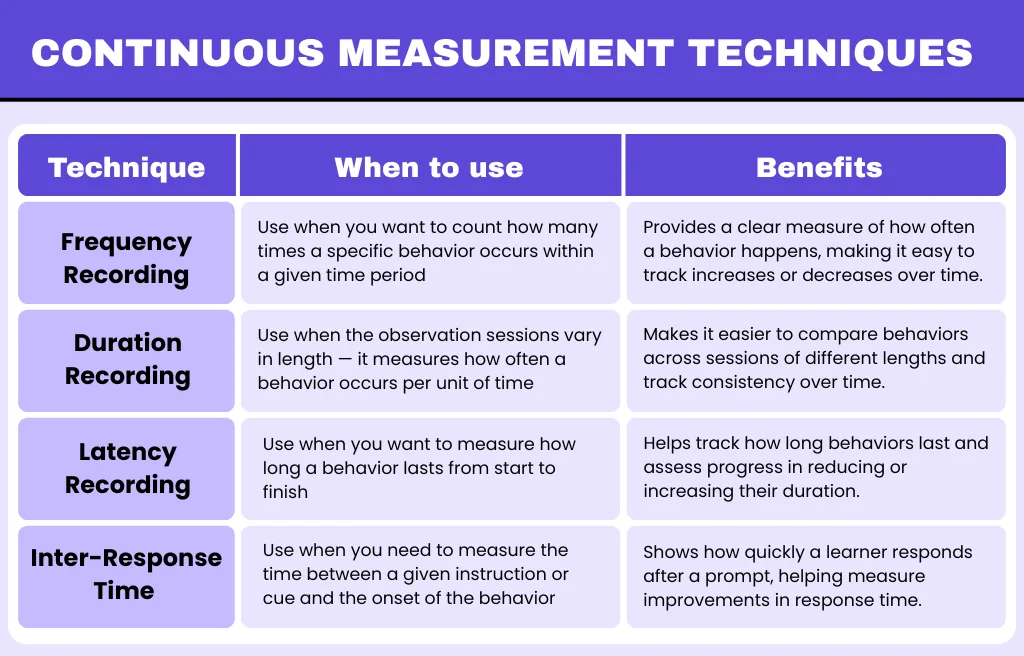
1. Frequency (Event Recording)
Frequency measurement simply counts how many times a behavior happens. The observer tallies each occurrence during a session (using marks, counters, or beads). This is useful when the behavior has a clear beginning and end, such as raising a hand or throwing a toy.
For example, if you want to know how often a child raises their hand to answer questions, you would record each hand raise as it occurs. Frequency data are easy to collect and analyze, and they give a straightforward measure of how often a behavior occurs.
When to use frequency: Discrete, countable behaviors with clear starts and stops (i.e., number of questions asked, times out of seat). Record each instance as it happens.
Benefits: Simple and direct; shows exact count of behavior occurrences.
Limitation: Does not account for how long each instance lasts, and on its own can be misleading if session lengths vary greatly.
2. Duration Recording
Duration measurement records how long each instance of a behavior lasts from start to finish. The observer uses a stopwatch or timer to measure the length of each occurrence. This technique is ideal for behaviors where total time matters, such as tantrums, time spent on-task, or any continuous activity.
For example, a therapist might time how long a student stays focused on a task or how many seconds a tantrum lasts. By capturing the duration, practitioners can see not just how often the behavior happens, but how long each episode is.
When to use duration: Behaviors with indefinite length or no clear countable instances (i.e., time spent in tantrum, continuous hitting). Use when you want the total time measured.
Benefits: Provides insight into intensity or severity (longer durations may indicate more severe behavior).
Limitation: Requires watching behavior continuously to time start and end; can be difficult if multiple behaviors overlap.
3. Latency Recording
Latency measures the time between a prompt (or signal) and the start of the behavior. In practice, you start a timer when you give a cue (like an instruction or signal) and stop it when the person begins to respond. Latency is useful for evaluating response speed.
For example, if a teacher asks a question and the student takes 5 seconds to start answering, those 5 seconds are the latency. This helps practitioners know if responses are too slow or if they occur too quickly, and adjust teaching strategies accordingly.
When to use latency: When the timing of a response is important (i.e., time from instruction to beginning of task). Useful in teaching programs where you want to decrease response delay.
Benefits: Pinpoints reaction time, helping track improvements in response speed or identify delays.
Limitation: Only captures the first response after each prompt, so it’s not useful for behaviors that happen without a clear cue.
4. Inter-Response Time (IRT)
Inter-response Time (IRT) measures the time between consecutive occurrences of the same behavior. It is the interval from the end of one instance until the start of the next. This shows how quickly a person repeats a behavior.
For example, IRT might be used to measure the time between bites during a meal or between questions asked by a student. Short IRT means the behavior is happening frequently (rapid pace), while long IRT indicates slower occurrence.
A behavior analyst might use IRT to speed up a desired behavior (by decreasing IRT) or to slow down an undesired one (by increasing IRT).
When to use IRT: When the pattern of repeated behavior is of interest (i.e., how much time passes between consecutive problems solved or between episodes of a behavior).
Benefits: Highlights the pacing of behavior, useful for tasks that involve multiple steps or repeated actions.
Limitation: Requires a clear end of one response and start of the next; not applicable if behaviors don’t occur in sequences.

Importance of Continuous Measurement
Continuous data are valued because they give the clearest and most precise picture of behavior. By capturing every instance, continuous measurement methods produce the most accurate data.
This comprehensive recording means analysts don’t miss rare or brief occurrences, which can be overlooked by sampling methods. As a result, continuous measurement allows practitioners to see detailed trends.
With continuous data, therapists can track exactly how a behavior changes over time and in response to intervention. For example, a therapist can plot each session’s total occurrences and see if an intervention is reducing the behavior. This level of detail is crucial for evaluating if goals are being met.
In fact, continuous tracking often yields more reliable progress monitoring; it helps ABA professionals assess whether a treatment plan is working and make timely adjustments.
Since continuous recording collects all data, it reduces bias and ensures that even subtle improvements or worsening of behavior are noticed. For these reasons, continuous measurement is preferred when accuracy is critical, such as during initial assessments or when closely monitoring an intervention’s effects.
When Is Continuous Measurement Preferred?
Continuous measurement is best suited to situations where a full record of behavior is important. For example:
High-Frequency Behaviors
When a behavior happens often (i.e., a student raising their hand many times in class), continuous recording captures each instance. This gives an accurate count of how engaged the student is.
Long-Duration Behaviors
For behaviors that last a while (like a tantrum or extended on-task work), continuous measurement tracks exactly how long each episode lasts. Knowing the duration is key to understanding severity or focus level.
Precise, Data-Driven Decisions
In early stages of therapy or research, clinicians use continuous tracking to establish detailed baselines. By establishing clear goals based on documented behaviors and observing every occurrence, therapists can monitor progress accurately and adjust plans in real time.
One-on-One Settings
When a therapist works with one person (so full attention is possible), continuous methods are practical even for relatively rare behaviors. Capturing each instance (even if infrequent) provides a complete picture, which can be vital when tailoring interventions.
Conclusion
Continuous measurement is the method of choice when you need exact data on how often or how long a behavior occurs. It is most practical for discrete, countable behaviors and for capturing the full extent of an action. When used appropriately, continuous data collection lets ABA professionals track changes and progress with confidence, ensuring interventions are based on solid evidence.
by Raven Health | Oct 17, 2025 | Blogs

In Applied Behavior Analysis, tracking behavior helps therapists understand progress and make treatment decisions. One crucial way to do this is through a measurement system. These systems show how often or how long a behavior may occur. There are two main types of measurements, i.e., continuous and discontinuous.
This article focuses on discontinuous measurement, how it differs from continuous measurement, its types, when to use each, and their advantages and limitations.
What is Discontinuous Measurement?
Discontinuous measurement is a data collection method used in ABA where the observer records behavior at specific moments or within set time intervals, rather than tracking every single occurrence. Instead of capturing the full picture, it provides a sample of the behavior across time.
In simpler terms, you divide the observation period into equal chunks of time (called intervals) and check whether the target behavior happens during those intervals. Depending on the method, you may record:
- If it happened at any time in the interval (Partial Interval),
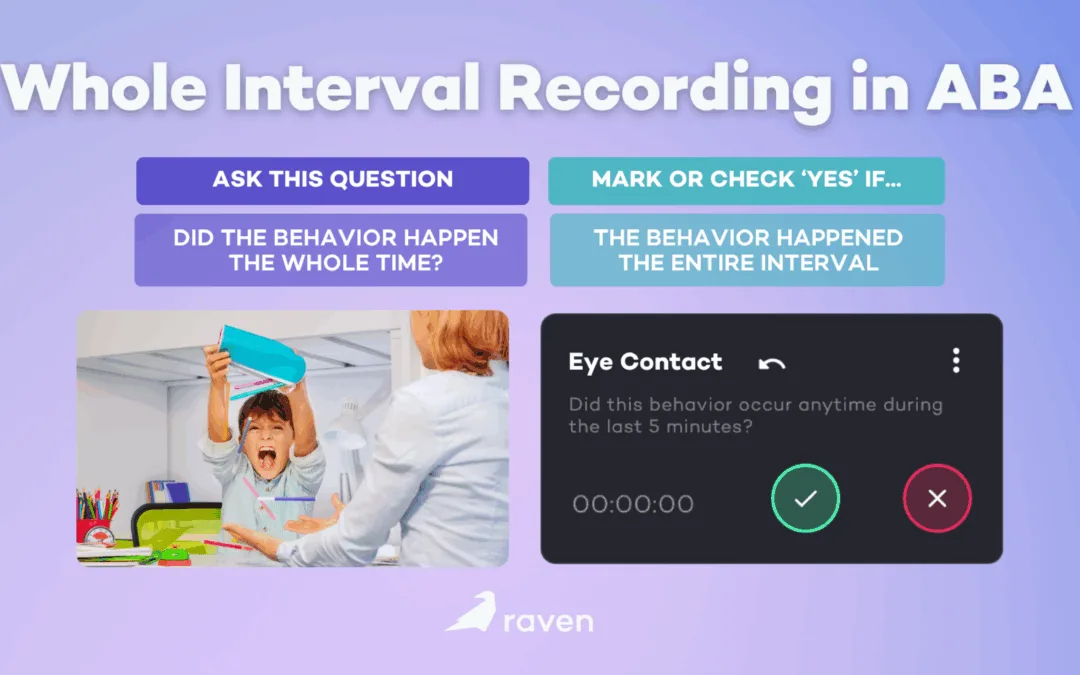
- If it happened the whole time (Whole Interval),
- Or if it happened exactly at a specific moment (Momentary Time Sampling).
This approach gives you a general estimate of how often or how long a behavior occurs without needing to observe continuously
Discontinuous Measurement VS Continuous Measurement
1. Continuous measurement
With continuous measurement, You record every instance of the behavior, and its precise start and stop times (frequency, duration, latency), so you get a complete record.
2. Discontinuous measurement
With discontinuous measurement, You observe behavior during set time segments (intervals) and record whether the behavior occurred (or occurred at the moment) during those segments. You do not capture every occurrence or exact duration.
| Factor |
Continuous Measurement |
Discontinuous Measurement |
| Precision (Level of Detail) |
Records every instance, start/stop times, durations, and exact counts. |
Samples behavior across time; provides an estimate rather than a complete record. |
| Workload for Observer |
High—requires continuous attention and often a dedicated observer. |
Lower—easier to collect while performing other tasks or supervising multiple people. |
| Best Uses |
Low-frequency behaviors, safety incidents, latency/duration measures, and detailed functional analysis. |
High-frequency behaviors, group monitoring, quick checks, or busy settings like classrooms or community outings. |
| Types of Data Produced |
Exact frequency, total duration, inter-response times, and precise latencies. |
Proportions or percentages of intervals or moments when the behavior occurred. |
| Accuracy for Short Events |
High—captures brief events accurately. |
Variable—may miss or overcount short events depending on interval type. |
| Training Required |
Moderate to high—requires learning precise timing and operational definitions. |
Moderate—focuses on interval timing and scoring rules; easier to master. |
| Interobserver Reliability (IOR) |
Can be high with proper training; easier to compute exact agreement for events. |
Can be good with training, but timing errors or differing interpretations can reduce consistency. |
| Equipment or Tech Needs |
May require timers, event-recording apps, or continuous video for later review. |
Often just a timer or interval app; works well with simple checklists. |
| Sensitivity to Change |
High—detects small shifts in frequency or duration. |
Lower—captures trends but may miss small or rapid changes. |
| Data Analysis Complexity |
More complex—requires processing large datasets for graphs and analysis. |
Simpler summaries like percentages or trend lines; ideal for quick reports. |
| Use for Decision-Making |
Best for precise decisions that affect treatment (e.g., safety or reduction goals). |
Useful for monitoring trends and identifying increases or decreases in behavior. |
| Ideal Observation Length |
Suitable for any session length, especially when full documentation is needed. |
Works best for short-to-moderate sessions (5–30 minutes) or repeated observations throughout the day. |
| Risks When Used Improperly |
Risk of observer fatigue and missed events due to lapses in attention. |
Risk of misrepresenting behavior levels if interval timing or training is poor. |
| When to Validate with the Other Method |
Use continuous measurement to validate discontinuous data periodically (spot-checks). |
Use discontinuous measurement for daily tracking, validated occasionally with continuous data. |
| Example Settings |
Functional analysis sessions, safety monitoring, and precise research studies. |
Classroom tracking, clinic groups, community programs, and large-scale behavior screening. |
Types of Discontinuous Measurement
1. Partial Interval Recording
What it is:
Divide the observation period into equal short intervals (for example, 10 seconds). Mark the interval if the target behavior occurred at any time during that interval.
How to do it:
- Decide total observation time (e.g., 10 minutes).
- Choose interval length (5–30 seconds is common).
- For each interval, mark “yes” if the behavior happened at least once; mark “no” if it did not.
- At the end, calculate the percentage of intervals with the behavior (intervals with behavior ÷ total intervals × 100).
When to use it:
High-frequency behaviors (e.g., hand flapping, vocal scripts) where counting every occurrence is impractical. Also, when you want to be conservative in detecting presence (it usually overestimates how much of the interval the behavior occupied).
For example, if behavior occurs briefly in 6 of 10 intervals, the score = 60% but the actual time engaged might be only 10–20% of the observation period.
2. Whole Interval Recording
What it is:
Whole interval recording divides time into equal intervals. You mark an interval only if the behavior occurs throughout the entire interval.
How to do it:
- Set total observation time and interval length.
- For each interval, mark “yes” only if the behavior was present the whole interval; otherwise, mark “no.”
- Calculate the percentage of intervals fully occupied.
When to use it:
For behaviors you want to increase (e.g., on-task behavior, engagement). Useful when measuring continuous engagement rather than brief bursts. For example, if a student is on-task for the full 4 of 10 intervals, score = 40%, even if they were partially on-task in more intervals.
3. Momentary Time Sampling (MTS)
What it is:
Observe at predetermined moments (the end or start of each interval) and record if the behavior is occurring exactly at that moment.
How to do it:
- Choose interval length and moment (commonly the end).
- Observe, then at the moment, and mark if behavior is happening at that instant.
- Calculate the percentage of moments where behavior was present.
When to use it:
When continuous monitoring isn’t feasible, but you want a quick estimate. Works well for overall trends across observers. For example, in a 30-minute observation with 30 one-minute intervals, you take 30 “snapshots.” If behavior is present at 12 snapshots, score = 40%.
When is Discontinuous Measurement Most Useful?
- High-frequency behaviors that would be hard to count accurately (e.g., repetitive movements, vocalizations).
- Settings with limited observers, like classrooms or community outings, where staff can’t continuously record.
- Large-scale monitoring to detect trends across many students or clients.
- Interim checks during baseline or large-group interventions when quick data is needed.
Advantages Of Discontinuous Measurement
- It is feasible in everyday settings, hence resulting in less observer fatigue.
- Efficient for frequent behaviors and group observations.
- Discontinuous measurement is useful for trends; for example it is good for showing whether behavior is going up or down over time.
- This type is easy to train staff on since it has straightforward rules and simple scoring.
Limitations Of Discontinuous Measurement
- It is less precise than continuous methods and therefore doesn’t capture exact frequency or duration.
- Discontinuous measurement can over- or underestimate true behavior level depending on method and interval length.
- Its longer intervals reduce accuracy.
- Also, interobserver reliability (IOR) can drop if observers aren’t well trained on timing and definitions.
Practical Tips for Reliable Use
- Keep intervals short (5–15 seconds) for fast behaviors; longer intervals for slower ones.
- Train observers with video practice and check IOR before collecting real data. Aim for ≥80% agreement.
- Run occasional continuous sessions to validate your discontinuous data.
- Be consistent: same interval length, same observation times, and clear operational definitions.
Conclusion
Discontinuous measurement is a practical, widely used option in ABA when continuous recording is impractical. Pick the method that matches your goals: partial interval for detecting frequent behavior, whole interval for measuring sustained behavior, and momentary time sampling for quick snapshots. Always watch the limitations and use training and periodic checks to keep your data trustworthy.
by Raven Health | Oct 2, 2025 | Blogs

Choosing the right ABA software is a big decision. The right tool saves time, keeps data accurate, and helps clinicians deliver better care. Below is a clear, practical checklist you can use. It focuses on the five must-check categories: essential features, security elements, support, scalability, and cost-related aspects. Each section includes specific items to verify and vendor questions you should ask about onboarding, integrations, and updates.
1. Must-Have Features in an ABA Software
Your team needs tools built for ABA data, not just a generic EHR. The right features reduce data entry time and make treatment decisions faster.
1. Essential Clinical Features
- Look for the ability to record antecedent–behavior–consequence (ABC) entries, start/stop timestamps, duration, latency, and frequency counts. This lets clinicians run accurate trend analyses without manual cleanup.
- The system should support multiple data collection methods (partial/whole interval, momentary time sampling, and event recording) and let you add custom fields for unique programs.
- Check that graphs can show daily/session-level and weekly summaries, overlay baselines, and export charts to PDFs for IEPs or insurance. Prefer systems that let you choose axes, smoothing, and aggregation.
- Features should include supervision logs, sign-and-lock notes, goal reviews with signatures, and supervision notes tied to client records. These save time during audits.
- The platform should allow task analyses, chaining procedures, mastery criteria, and automatic next-step recommendations based on performance rules.
- Either built-in IOR forms or an easy export for IOR analysis. Ask how they align recordings from two observers.
- The scheduler should handle travel time, staff ratios, and automated reminders. Billing must support ABA CPT codes, electronic claims, and common clearinghouses.
- Field RBTs must be able to record live on phones or tablets and sync when online. Test data entry speed on a low-bandwidth connection.
- A simple portal for progress snapshots, consent forms, and secure messaging reduces admin emails.
2. Administrative & Billing Features
- Built-in billing that supports CPT/HCPCS used for ABA and insurance claims.
- Electronic claims export and clearinghouse compatibility.
- Attendance and payroll export for staff time tracking.
- Scheduling that enforces staffing ratios and travel time.
3. Usability Features
- Mobile app or responsive web app for RBTs to record in real time.
- Parent/guardian portal for messaging, consent forms, and progress view.
- Offline mode that syncs when back online.
- Customizable templates, workflows, and role-based screens.
Quick checklist for must-have features:
- Does it record session data in the formats your team uses?
- Can BCBAs review and sign remotely?
- Is billing integrated and compatible with your payers?
2. Security—Protect Client Data and Meet Legal Rules
Client records are protected health information. Get written proof of protections and how incidents are handled.
- Always require a BAA (Business Associate Agreement) before sharing PHI. It’s a legal must for HIPAA-covered entities.
- Data should be encrypted in transit (TLS 1.2+) and at rest (industry-standard AES algorithms). Ask for plain descriptions of how encryption keys are managed.
- Role-based permissions, session timeouts, and optional multi-factor authentication reduce insider risk. Confirm you can limit who exports data.
- Ask to see sample logs. Logs should show user ID, timestamp, record changed, and IP address for each edit or view.
- Get the vendor’s backup frequency, retention policy, and their Recovery Time Objective (RTO) and Recovery Point Objective (RPO). Request recent uptime statistics and maintenance windows.
- Third-party security attestations such as SOC 2 Type II, ISO, or penetration test reports are good signs. If they don’t have them, ask what independent testing they do.
Quick Checklist for Security
- Do you have a BAA?
- How and where is data stored (cloud region)?
- Are there audit logs and MFA?
3. Support—Will the Vendor Help You Succeed?
Good support turns a capable product into an adopted product. Test responsiveness and quality during the pilot.
- Expect a written plan with milestones: data migration, workflow mapping, staff training, pilot dates, and a named Customer Success Manager (CSM).
- Training for BCBAs, RBTs, front-desk, and billing staff—live sessions plus recordings. Ask if training materials are editable for your policies.
- Know who maps legacy data, how they validate accuracy, and whether cleanup is included or billed hourly.
- Get published SLAs (Service Level Agreements) for critical vs. non-critical issues and real examples of average response times.
- A short pilot with real clinicians, plus vendor staff available to shadow sessions, reveals usability problems early.
- An organized help center and readable release notes help reduce support calls.
Quick Checklist for Support
- What is a typical onboarding timeline for a clinic our size?
- Do you assign a dedicated customer success manager? For how long?
- What’s included in migration, who maps legacy data, and who pays for cleanup?
- What are your support hours and SLA response times for critical outages?
4. Scalability—Will It Grow With Your Clinic?
Make sure the system handles more clients, staff, and clinics.
- Centralized admin controls for permissions, billing, and reporting across sites.
- Ask for customers with a similar scale and test system speed during peak hours in a pilot.
- Open APIs or webhooks enable automation with payroll, billing, or learning management systems. Request API docs and sample calls.
- Clarify client record caps, API rate limits, and whether adding seats or sites changes response times or costs.
Quick Checklist for Scalability
- Can it support X therapists and Y concurrent users?
- Is there a clear plan/cost for adding more clinics or users?
- Does the vendor offer APIs and integration options?
5. Cost—Understand Total Cost of Ownership
Look beyond the sticker price. Instead, check for:
- Is pricing per user, per client, per site, or flat? Get a line-item list: base software, modules, migration, training, and integrations.
- Confirm who pays for data cleanup, custom reports, and mapping. Get hourly rates for custom work.
- Ask about annual price increases, minimum terms, and cancellation or data-export fees.
- Telehealth, parent portal, advanced analytics, and premium support are sometimes add-ons. Get exact costs for anything you might need.
Quick Checklist for Cost
- What is included in the base price? What costs extra?
- Are there volume discounts for many users or clinics?
- What happens to our data if we cancel—is export free?
Final steps before you sign
- Run a 30–90 day pilot with real clinicians and clients.
- Ask for references from clinics of similar size and services.
- Get all promises in writing: onboarding plan, SLA, security attestations, and pricing.
Questions to Ask Vendors (Onboarding, Integrations, Updates)
- What does a typical onboarding timeline look like for a clinic our size? Can you share a sample project plan?
- Who performs data migration, and how do you validate migrated data?
- Which third-party systems do you integrate with now? Can you share customer references for each integration?
- Do you provide open APIs and web-hooks? Can we see the API docs and sample calls?
- How often do you release updates, and how are breaking changes communicated or piloted
- What is your patch/incident response process for security issues?
Takeaway
Run a 30–90 day pilot with your core clinical team, use this checklist during demos, and get all promises in writing (onboarding plan, SLA, security attestations, and pricing).
Want a downloadable, fillable checklist you can use during demos? Schedule a demo with vendors on your shortlist or download the full printable checklist.
If you’d like to see how Raven Health aligns with the criteria above, you can request a demo or start a free trial and test the features with your own team.